Top 14 Animated Training Video Software for 2025
What if “do it yourself” ends up costing you more time than it saves? Many L&D teams hit this wall, not because DIY tools are…

What if “do it yourself” ends up costing you more time than it saves? Many L&D teams hit this wall, not because DIY tools are…
What if “do it yourself” ends up costing you more time than it saves? Many L&D teams hit this wall, not because DIY tools are bad, but because they picked the wrong one from the start. Most platforms are built for marketers, not learning outcomes, leading to rework, weak visuals, and training that just doesn’t land.
In this guide, we’ve curated a list of 14 animated training video software options-from intuitive tools for non-designers to robust platforms for experienced creators. You’ll learn how to select the right one based on your goals, skills, and content strategy-so your next training video works as hard as you do.
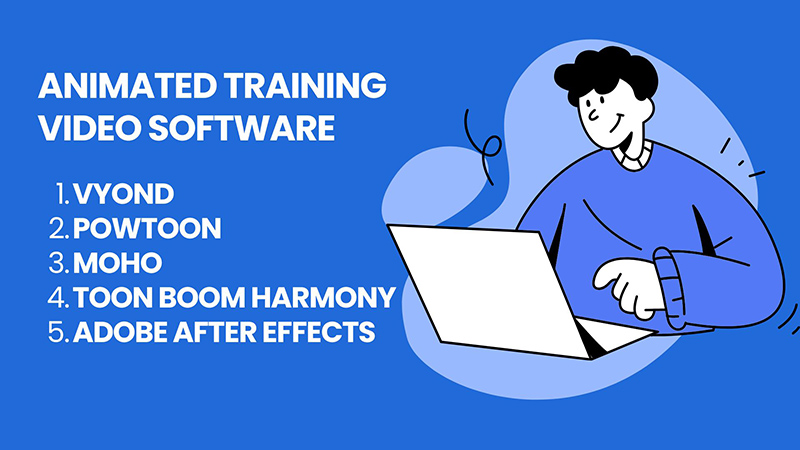
The first step in building effective training videos is understanding your toolkit. Not all animated video software serves the same purpose, and choosing one that fits your needs can save you countless hours and frustration.
Below, we’ve categorized animated training video software into 5 major types, based on animation style and functionality. Let’s take a closer look at each tool and how to choose the best fit for your goals.
| Software | Key Features | Price |
| Vyond | Drag-and-drop 2D animation, AI tools, voiceover, multi-language, team collaboration | From $25/month |
| Powtoon | Drag-and-drop, templates, voiceover/music integration, export formats, cloud-based | From $15/month |
| Adobe After Effects | Advanced motion graphics, visual effects, 3D integration, plugin support | From $22.99/month |
| Toon Boom Harmony | Advanced 2D drawing, rigging, compositing, 2D/3D integration, lip syncing | From $28.5/month |
| Moho | Advanced rigging, smart bones, physics, 2.5D effects, FBX export | From $59.99 one-time (Debut) or $399.99 (Pro) |
| Camtasia | Screen recording + video editing, quizzes, transitions, PowerPoint integration | From $14.99/month or $299.99 one-time |
| Loom | Screen and webcam recording, real-time insights, transcriptions, integrations | Free Starter, Business $15/user/month |
| ScreenPal | Screen/webcam/audio recording, video editor, hosting, mobile apps | Free plan, Solo Deluxe $4/month |
| HeyGen | AI avatars, 200+ languages, interactive responses, Zapier integration | Creator $29/month, Team $39/seat/month |
| Pictory | Text to video, stock footage library, captioning, summarization tools | Starter $25/month, Professional $49/month |
| Doodly | Drag-and-drop whiteboard animation, custom paths, multiple board styles | Standard $49/month, Enterprise $79/month |
| VideoScribe | Whiteboard animation, 5M+ assets, drawing styles, voiceover/music integration | Lite $7.58/month, Plus $11.25/month, Pro $23.33/month |
| Blender | Full 3D pipeline, real-time rendering, simulation tools, Python scripting | Free |
| Autodesk Maya | Professional 3D animation/VFX, advanced rigging, Arnold renderer, Bifrost | From $245/month |
Let’s start by exploring the most accessible options: drag-and-drop 2D animation tools designed for simplicity and speed.
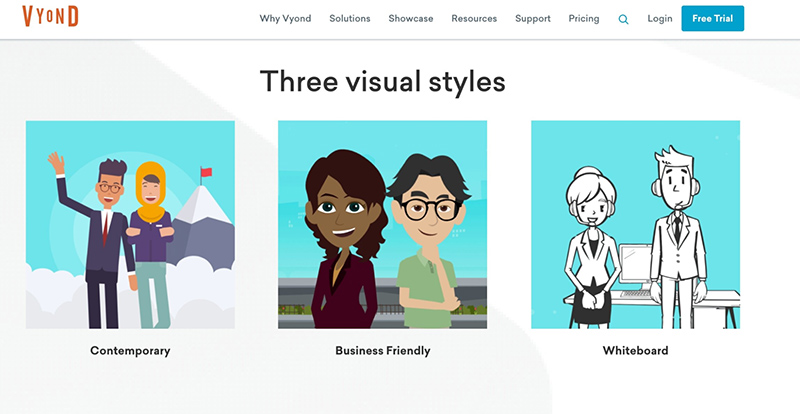
Best for: Corporate training, eLearning content, internal communications, marketing, and explainer videos. Its user-friendly interface and extensive asset library make it suitable for both beginners and seasoned creators.
Key features:
Price:
| Plan | Monthly Price | Annual Price | Key Features |
| Essential | $25/month | $299/year | Basic features with Vyond watermark on videos. |
| Premium | $54/month | $649/year | Enhanced features, no watermark, export in HD. |
| Professional | $92/month | $1,099/year | Full feature access, priority support, team collaboration tools. |
| Enterprise | $125/month | $1,500/year | Advanced security, single sign-on (SSO), dedicated support. |
Pros and cons:
| Pros | Cons |
| ✅ User-friendly interface suitable for all skill levels. | ❌ Higher cost compared to some competitors. |
| ✅ Extensive library of customizable assets and templates. | ❌ Some users find the animation style too “cartoony” for serious topics. |
| ✅ AI-powered tools for quick video creation. | ❌ Limited offline functionality; primarily cloud-based. |
| ✅ Supports multiple languages, enhancing global reach. | ❌ Advanced features require higher-tier plans. |
| ✅ Strong collaboration features for team projects. | ❌ Occasional performance issues with large projects. |
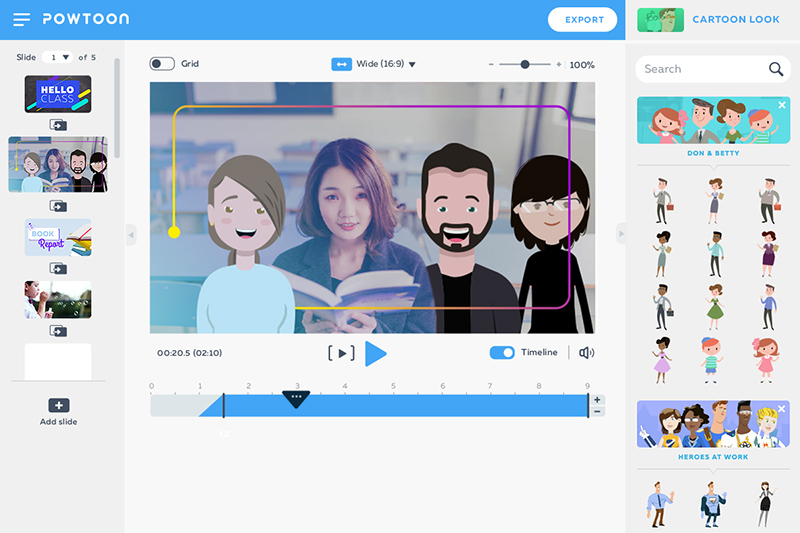
Best for: Educational content, internal communications, social media content.
Key features:
Price:
| Plan | Monthly Price | Key Features |
| Pro | $15/month | 10 minutes of full HD recording, 2 GB storage, 5 exports per month. |
| Pro+ | $40/month | Unlimited exports, 20 minutes of full HD recording, 10 GB storage. |
| Agency | $125/month | 30 minutes of full HD recording, 100 GB storage, reselling rights. |
Pros and cons:
| Pros | Cons |
| ✅ User-friendly interface suitable for all skill levels. | ❌ Higher cost compared to some competitors. |
| ✅ Extensive library of customizable templates and assets. | ❌ Limited customization options in lower-tier plans. |
| ✅ Supports various export formats for flexibility. | ❌ Occasional performance issues with large projects. |
| ✅ Cloud-based platform allows access from anywhere. | ❌ Some users report limited customer support responsiveness. |
| ✅ Facilitates team collaboration with project sharing features. | ❌ Certain advanced features require higher-tier subscriptions. |
Drag-and-drop tools are great options for beginners, but if you’re aiming for polished storytelling, advanced 2D animation tools offer flexible design, rich character actions, and brand customization. These platforms are perfect for creating professional, engaging training videos without needing a full animation studio.
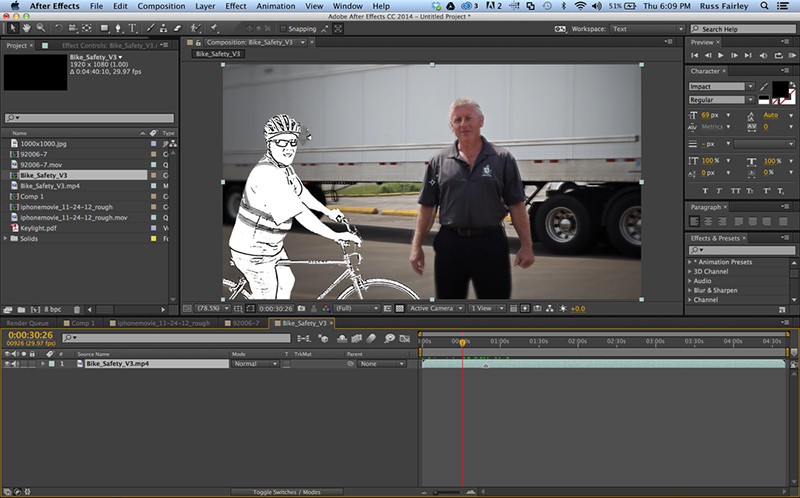
Best for: Motion graphics design, visual effects (VFX) creation, kinetic typography and animated infographics, and advanced 2D and 3D animations. It’s the preferred choice for motion graphic videos and visual effects.
Key features:
Price:
| Plan | Monthly Price | Key Features |
| After Effects (Single App) | $22.99 | Access to After Effects, 100 GB cloud storage, Adobe Fonts, and Portfolio. |
| Creative Cloud All Apps (Individual) | $59.99 | Access to 20+ Adobe apps, including After Effects, Photoshop, and Illustrator. |
Pros and cons:
| Pros | Cons |
| ✅ Industry-standard for motion graphics and VFX. | ❌ Steep learning curve for beginners. |
| ✅ Extensive integration with Adobe Creative Cloud suite. | ❌ Subscription-based pricing can be costly over time. |
| ✅ Large community and abundance of tutorials available. | ❌ Requires a powerful computer; resource-intensive. |
| ✅ Highly customizable with plugins and scripts. | ❌ Not ideal for basic video editing tasks; better suited for complex projects. |
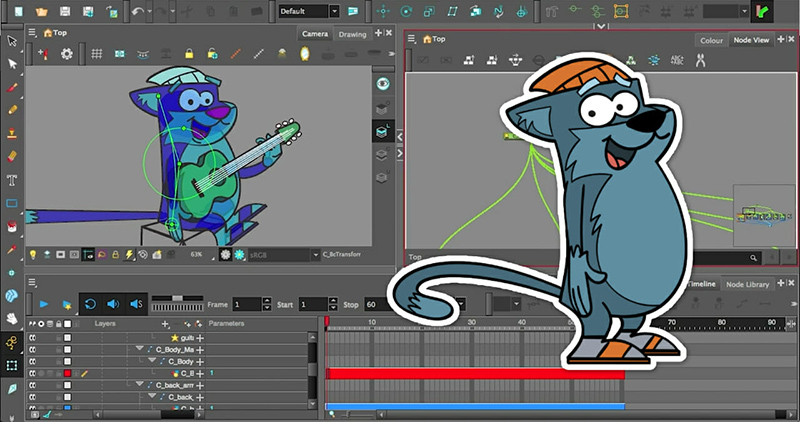
Best for: Professional 2D animation studios, advanced character rigging and effects, hybrid workflows combining traditional and digital techniques
Key features:
Price:
| Plan | Monthly Price | Annual Price | Key Features |
| Essentials | $28.5/month | $230.50/year | Basic cut-out and paperless animation tools. |
| Advanced | $71/month | $551.50 /year | Adds bitmap painting tools and traditional animation support. |
| Premium | $129.5/month | 1,051.50/year | Full feature set including advanced rigging and node-based compositing. |
Pros and cons:
| Pros | Cons |
| ✅ Industry-standard for professional 2D animation. | ❌ Steep learning curve for beginners. |
| ✅ Comprehensive toolset for both traditional and digital workflows. | ❌ Higher cost compared to some competitors. |
| ✅ Advanced rigging and compositing capabilities. | ❌ Requires a powerful computer; resource-intensive. |
| ✅ Large community and abundance of tutorials available. | ❌ Not ideal for basic or quick animations; better suited for complex projects. |
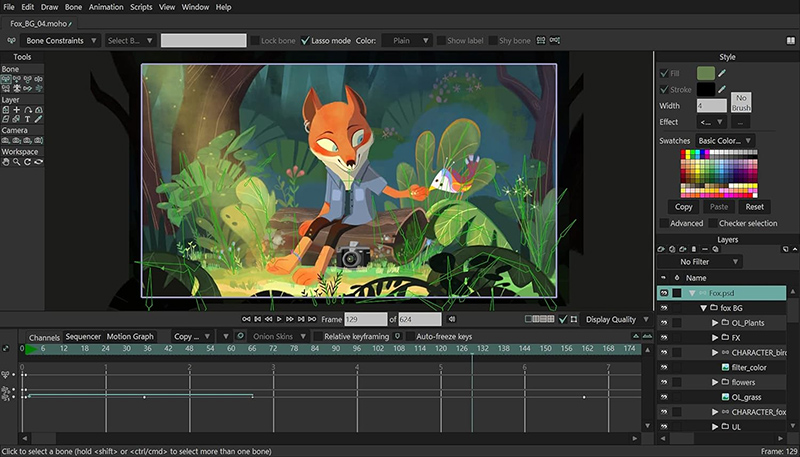
Best for: Character rigging and cut-out animation, educational content creators aiming for engaging visual storytelling.
Key features:
Price:
| Version | Price | Key Features |
| Moho Debut 14 | $59.99 | Basic animation tools, suitable for beginners and hobbyists. |
| Moho Pro 14 | $399.99 | Full feature set including advanced rigging, physics, and 3D integration. |
Pros and cons:
| Pros | Cons |
| ✅ Powerful rigging system with Smart Bones and Vitruvian Bones. | ❌ Steep learning curve for beginners unfamiliar with animation software. |
| ✅ One-time purchase with no subscription fees. | ❌ Limited frame-by-frame animation capabilities compared to some competitors. |
| ✅ Active community and abundance of tutorials available. | ❌ Interface may feel dated to users accustomed to modern UI designs. |
| ✅ Supports both vector and bitmap workflows. | ❌ Moho Debut version has limited features and export options. |
When you need to teach software, processes, or step-by-step tasks, screen recording combined with animation is your best ally. These tools capture real workflows and enhance them with annotations, callouts, and transitions for clearer, faster learning.
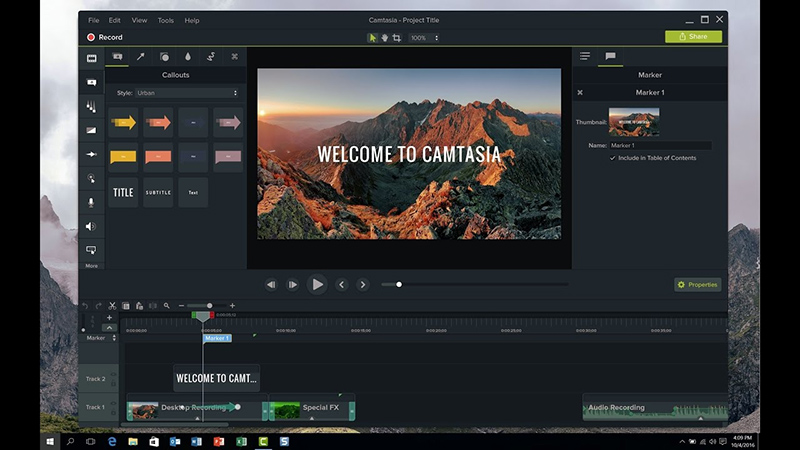
Best for: Professionals and educators seeking a robust screen recording and video editing solution.
Key features:
Pricing:
Pros and cons:
| Pros | Cons |
| ✅ User-friendly interface suitable for all skill levels. | ❌Higher cost compared to some competitors. |
| ✅ Advanced editing features for professional videos. | ❌Resource-intensive; requires a powerful computer. |
| ✅ Interactive elements enhance eLearning content. | ❌ Limited collaboration features for team projects. |
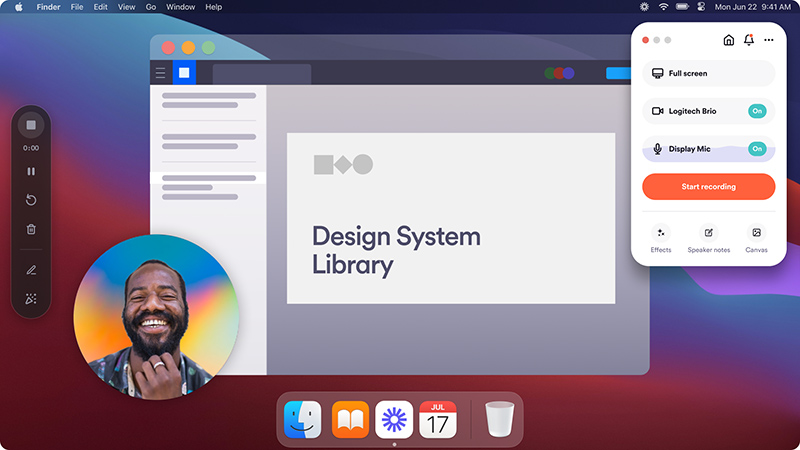
Best for: Teams and individuals needing quick, shareable video messages for communication and collaboration.
Key features:
Pricing:
Pros and cons:
| Pros | Cons |
| ✅Easy-to-use interface with quick setup. | ❌Free plan has strict limits on video length and count. |
| ✅Facilitates asynchronous communication effectively. | ❌Videos are public by default; privacy settings require adjustment. |
| ✅Supports multiple platforms including mobile devices. | ❌Limited video editing capabilities. |
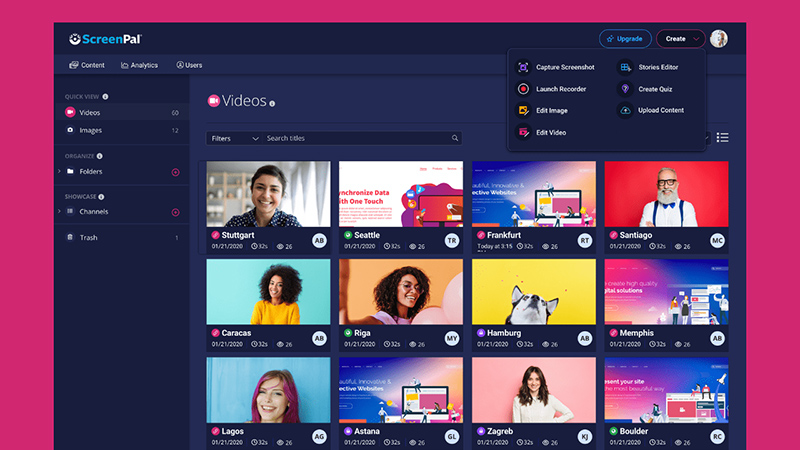
Best for: Educators, trainers, and content creators looking for an affordable and intuitive screen recording and editing tool.
Key features:
Pricing:
Pros and cons:
| Pros | Cons |
| ✅Affordable pricing with a generous free plan. | ❌Free version includes watermark and time limits. |
| ✅User-friendly interface suitable for beginners. | ❌Advanced features require higher-tier subscriptions. |
| ✅Offers both recording and hosting solutions. | ❌Limited export formats compared to some competitors. |
For teams needing speed and scalability, AI-based platforms turn scripts into videos with realistic avatars and voiceovers. They make it possible to produce high-volume, multi-language training content quickly, without traditional filming or animation overhead.
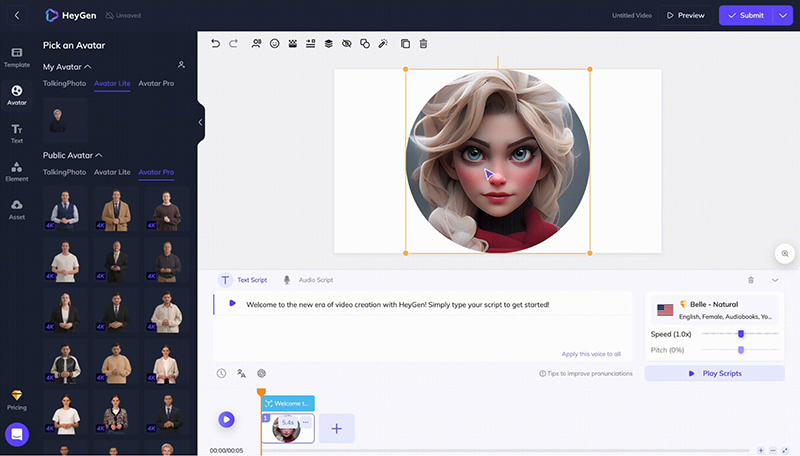
Best for: Marketers and content creators aiming for quick, engaging videos with customizable AI avatars.
Key Features:
Pricing:
Pros and Cons:
| Pros | Cons |
| ✅Intuitive interface suitable for beginners. | ❌Operates on a credit system; additional costs for more videos. |
| ✅High-quality avatars with realistic lip-syncing. | ❌Limited emotional range in avatars’ expressions. |
| ✅Fast video generation without the need for filming equipment. | ❌Some voice options may lack desired emphasis or emotion. |
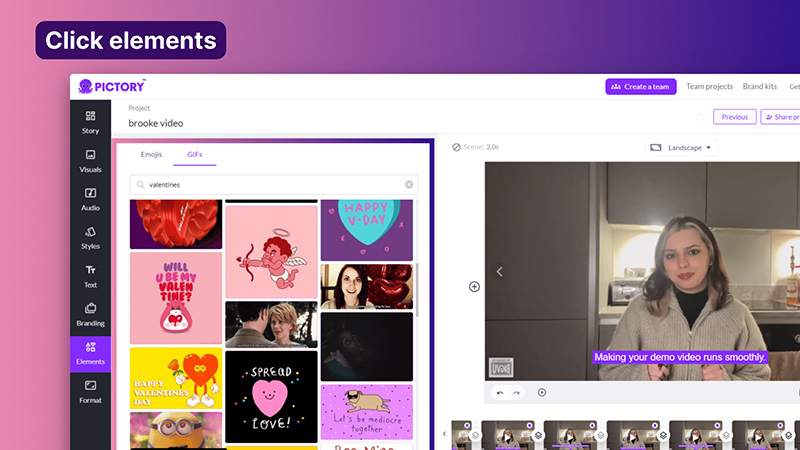
Best for: Those looking to transform text content into short, shareable videos.
Key Features:
Pricing:
Pros and cons:
| Pros | Cons |
| ❌User-friendly, suitable for all skill levels. | ❌Limited options for AI voices and emotional expression. |
| ❌Cost-effective solution for quick video creation. | ❌Requires a stable internet connection; no offline functionality. |
| ❌Integration with Getty Images for high-quality visuals. | ❌Limited customization in video editing features. |
Sometimes, simplicity is the most powerful teacher. Whiteboard animation software transforms complex ideas into clear, easy-to-follow visual stories, making it ideal for educational, conceptual, or technical training topics.
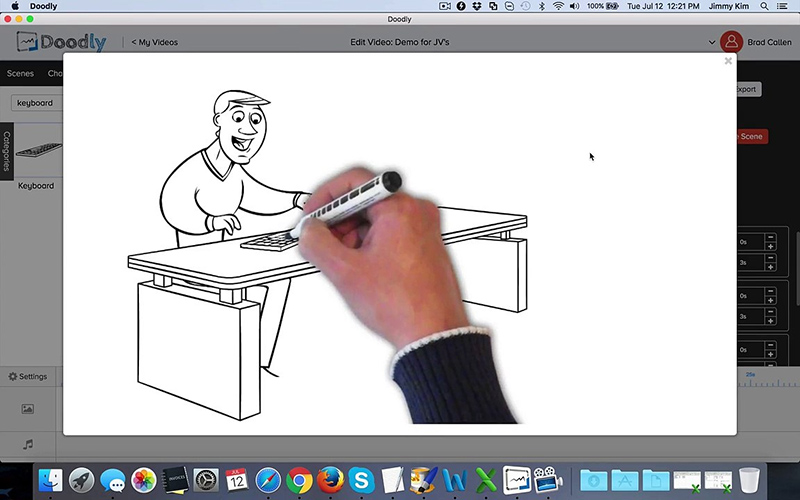
Best for: Educators, marketers, and small businesses seeking an intuitive platform for creating whiteboard-style explainer videos.
Key Features:
Pricing:
Pros and cons:
| Pros | Cons |
| ✅ User-friendly interface suitable for beginners. | ❌ Limited animation effects beyond drawing. |
| ✅ Customizable drawing paths for imported images. | ❌ Some advanced features require higher-tier plans. |
| ✅ Offline functionality enhances flexibility. | ❌ Limited export options in lower-tier plans. |
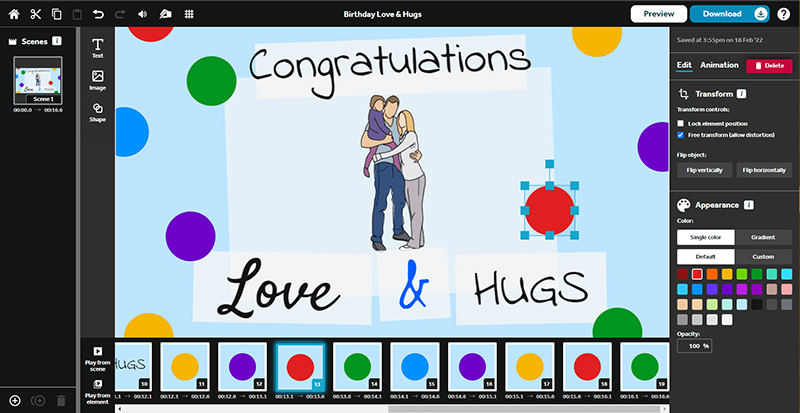
Best for: Professionals and educators aiming to create engaging whiteboard animations with a focus on storytelling.
Key Features:
Pricing:
Pros and Cons:
| Pros | Cons |
| ✅ Extensive asset library enhances creativity. | ❌ Rendering can be slow for complex projects. |
| ✅ Multiple animation styles and effects. | ❌ Some users report occasional software glitches. |
| ✅ Suitable for both beginners and professionals. | ❌ Limited customization in lower-tier plans. |
When realism matters, especially you’re teaching procedures, spatial concepts, or technical skills, 3D animated training tools bring depth and precision. They offer immersive visual experiences that 2D just can’t match, perfect for specialized industries.
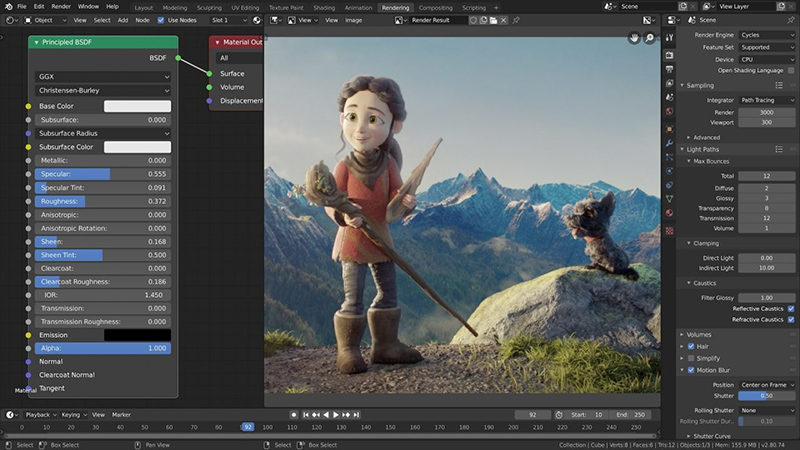
Best for: Educators seeking a comprehensive, free, and open-source 3D animation suite.
Key Features:
Pricing: Completely free and open-source.
Pros and cons:
| Pros | Cons |
| ✅ Free and open-source with a robust feature set. | ❌ Steep learning curve for beginners. |
| ✅ Active community with abundant learning resources. | ❌ Interface can be complex and less intuitive. |
| ✅ Regular updates and improvements driven by the community. | ❌ Performance can be hindered on less powerful hardware. |
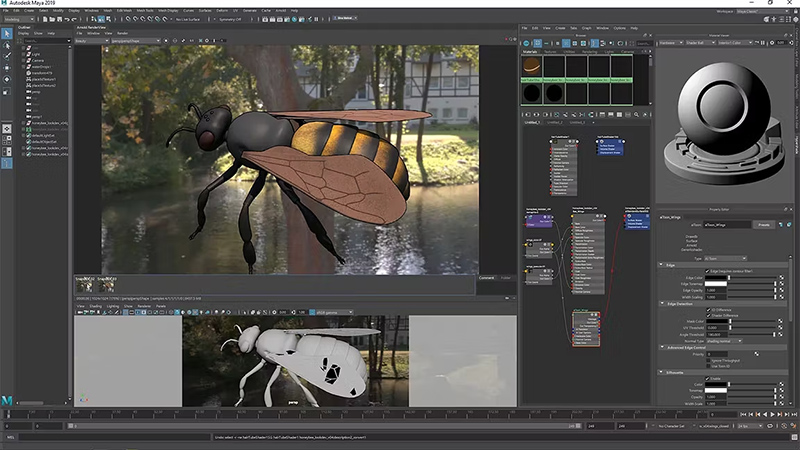
Best for: Professionals requiring advanced tools for high-end 3D animation, visual effects, and game development.
Key Features:
Pricing:
Check more animation software for specific purposes:
With so many options available, it can be overwhelming to choose the most suitable one. However, the smartest decision comes from knowing what you truly need, what you can realistically manage, and what will grow with you over time. Let’s walk through the key points that will help you choose with confidence.
Start by being crystal clear about what you want your training videos to achieve. Are you trying to onboard new employees, teach technical processes, explain company values, or certify compliance? Each goal demands a different style and complexity of animation. Defining your needs upfront helps you filter out tools that won’t scale or support your long-term training strategy.

Even the best software won’t save you if it doesn’t match your team’s skill level. If you have no animation or design background, it’s better to choose intuitive, drag-and-drop platforms like Vyond or Powtoon. On the other hand, if you have experienced designers on board, you can leverage professional tools like Adobe After Effects or Blender for more customized, high-impact visuals.
Animated video software can range from free to thousands of dollars per year. It’s important to think beyond just the upfront cost, such as subscription fees, asset licensing, and potential add-ons. Free or low-cost tools might work for smaller projects, but for long-term training programs, investing in a higher-tier solution could save you money (and frustration) in the long run.
Choose your format based on the content you’re delivering. For storytelling or soft skills training, 2D animation works beautifully. For step-by-step software walkthroughs, screen recording tools like Camtasia are perfect. And if you’re explaining technical, spatial, or procedural concepts, 3D animation might be worth the investment. Let the content drive the format—not the other way around.
A great video is just the beginning—you also need to think about how it fits into your broader training ecosystem. Does the tool export SCORM or xAPI files for your LMS? Can you easily update videos without redoing everything from scratch? Does it support captioning, multilingual versions, or analytics? Good integration saves time, simplifies workflows, and future-proofs your training library.

Let F. Learning Studio help you create high-quality,
learner-focused videos at a price that fits your budget.
At first glance, DIY animated training video software seems like the perfect solution: fast, affordable, and easy to use. But many teams quickly realize that what saves time on the surface can create bigger problems down the line.
If you’re serious about creating training videos that truly engage, educate, and inspire action, it’s important to be aware of where DIY tools often fall short. Here’s what you should watch out for.
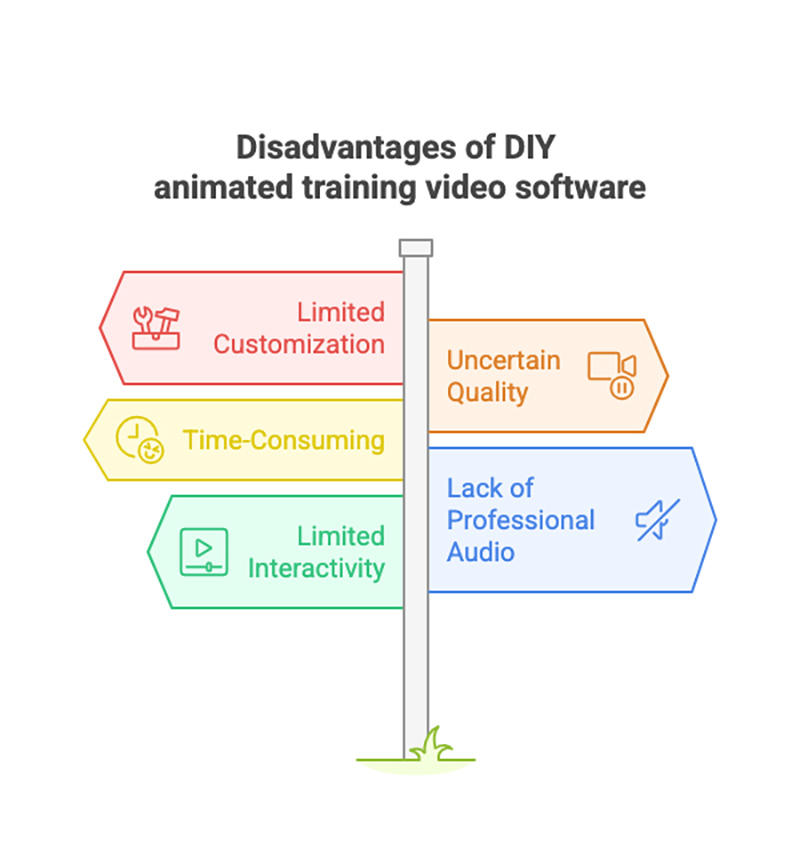
Most DIY platforms lock you into preset templates, stock characters, and limited style options. While these are helpful for quick builds, they rarely allow full alignment with your brand’s voice, tone, or visual identity. Over time, learners notice when videos feel generic, and the disconnect can weaken your training’s credibility and overall brand experience.
Without professional standards guiding the process, the quality of DIY videos can vary dramatically, from polished one day to sloppy the next. Inconsistent visuals, awkward pacing, and technical glitches can frustrate learners and diminish trust. Worse, when every video looks and feels different, it becomes harder for your training program to build momentum and authority.
DIY doesn’t always mean quick and easy—especially if you or your team lack a background in animation, instructional design, or storytelling. Tasks like scriptwriting, storyboarding, editing, and troubleshooting can eat up far more hours than expected.
On top of that, some advanced tools come with steep learning curves that demand significant time and effort just to use effectively. What starts as a cost-saving decision often turns into a time sink that delays your training launch.
Many DIY platforms offer text-to-speech features or leave it to users to record their own audio. While convenient, this often results in flat, robotic narration or amateur sound quality. Without professional voiceover talent or sound design, your training videos risk feeling less credible, less engaging, and ultimately less effective at holding learners’ attention.
The best training videos don’t just talk at learners, they pull them in. Unfortunately, most DIY tools focus only on linear storytelling, with little or no support for interactive elements like quizzes, decision points, or simulations. Without interactivity, engagement drops off quickly, and learners are more likely to forget what they’ve watched.
After seeing the real limitations of DIY animated training video software, the next question becomes: What’s the smarter alternative? Partnering with a professional studio like F. Learning Studio doesn’t just solve the common problems of inconsistency, time drain, and low engagement, it turns your training videos into a strategic asset.
With over 9 years of experience helping businesses worldwide, we specialize in creating learner-focused animations that are tailored, scalable, and budget-conscious. Here’s how we can elevate your next project.
Partnering with F. Learning Studio means gaining access to a team of experienced professionals who provide more than just animation services. From the initial stages of your project, we offer valuable creative guidance and strategic insights to ensure your training videos are not only visually compelling but also aligned with your overarching learning objectives. We help you define your message, structure your content effectively, and choose the most appropriate animation styles to maximize impact.
Ready to discuss your training needs and explore how our expertise can benefit you? Grab a FREE consultation with our team today!
Want to see our expertise in action? Request a FREE demo to experience the power of smart visual design.
Unlike the one-size-fits-all approach of many DIY tools, we meticulously tailor our animated content to engage your specific learners. Our experienced team works closely with you to understand your learners’ needs and design visuals that cater to different learning preferences, ensuring maximum comprehension and retention.
Simultaneously, we ensure seamless brand integration, adhering to your color palettes, typography, and developing bespoke visual elements that reinforce your unique identity. This dual focus on learner engagement and brand consistency results in training videos that are both impactful and distinctly yours.
Ready to see how we can create tailored, branded animated videos for your learners? Check out our portfolio today!
Creating effective training videos goes beyond just making them look good. F. Learning Studio’s approach is rooted in a deep understanding of instructional design principles and how visual elements can significantly impact learning and retention. We don’t just animate; we strategically design each visual cue, animation sequence, and content structure to guide learner attention, simplify complex information, and foster deeper understanding.
Our experience, honed over 9 years of creating high-impact eLearning videos for global enterprises, allows us to transform passive viewing into active learning. As evidenced by our work with Guardian Group, where we distilled a 20-page document into concise animated videos, our learner-focused design ensures your message is not only seen but truly absorbed and retained.
Let F. Learning Studio help you create high-quality,
learner-focused videos at a price that fits your budget.
While DIY animated training video software offers plenty of tools, the real question isn’t what you can create, it’s whether it will truly move your learners. Consistency, engagement, and learner focus often get lost without professional guidance.
If you want training videos that don’t just “look nice” but genuinely change behavior and build skills, partnering with F. Learning Studio is a smarter choice. Contact us today and let’s turn your content into measurable success.

F. Learning Studio's Author
Sean Bui, the founder and creative director of F.Learning Studio, is a respected leader in the e-learning and multimedia production industry. With over 10 years of experience, he has dedicated his career to helping organizations create engaging and impactful learning experiences. Under his leadership, F.Learning Studio has grown into a trusted partner for organizations in the education, healthcare, and corporate training sectors, producing over 2,000 minutes of educational animation.
Whether you’re training a team or explaining a message — we’ll help you do it clearly.
Clarity changes everything
Whether you’re training a team or explaining a message — we’ll help you do it clearly.