

How to Create eLearning Videos: An 8-Step-by-Step Guide
Stop struggling with boring eLearning videos! Discover ‘How to create eLearning videos’ comprehensive guide in 2024 to create high-quality videos that will make your courses stand out.


Stop struggling with boring eLearning videos! Discover ‘How to create eLearning videos’ comprehensive guide in 2024 to create high-quality videos that will make your courses stand out.
Struggling with How to create eLearning videos? In this article, we will guide you through 8 detailed steps to create engaging and effective eLearning videos. From Microlearning Videos and Animated Videos to Tutorials and Instructional Videos, understanding the type of eLearning video you aim to create is crucial, as it influences every step of the production process.
| Step | What To Do |
| 1 | Set Your Learning Goals and Know Your Audience |
| 2 | Plan your video content |
| 3 | Choosing the Right Tools and Software |
| 4 | Designing Engaging Visuals |
| 5 | Record Your Video & Audio |
| 6 | Editing & Post Production |
| 7 | Testing & Feedback |
| 8 | Publish your video |
Before diving into eLearning video production, it’s crucial to pinpoint what you want your learners to walk away with and who they actually are. Are you aiming to enlighten eager university students, onboard fresh-faced employees, or help customers master a new product?
Your audience’s needs, learning styles, and even their quirks will shape the content you create. Think of it like planning a dinner party – you wouldn’t serve sushi to someone who’s allergic to fish! By crafting learner personas, which are like imaginary friends but way more useful, you can better understand your audience’s background, challenges, and what makes them tick.

Before you hit the record button, it’s time to plan your content like a pro:
When creating eLearning videos, selecting the right tools and software is key to bringing your ideas to life. There are two main types of tools you’ll likely need:
These are essential for making your content more visually engaging. Animation tools allow you to create dynamic visuals, from simple illustrations to complex motion graphics. They help in breaking down complex ideas into easily digestible animations, making learning both fun and effective.
Animation is especially useful if you want to explain abstract concepts or add a creative flair to your videos. You can get a feel for what these tools can do in this video from F.Learning Studio.

Finding more ideas to take your e-learning to the next level?
Download this
How to use animation effectively in e-Learning
These tools are crucial for the core production of your eLearning videos. Audio tools help you record, edit, and enhance sound, ensuring that your audio is clear and professional. On the video side, these tools enable you to edit your footage, add transitions, and polish the final product. They ensure that your video content is smooth, high-quality, and ready to effectively deliver your learning material.

Furthermore, below is a table that lists specific software for different types of videos, including animation software for explainer videos and interactive video platforms. We hope that this table will help you easily understand and follow the specific tools available for different types of video creation.
| Video Type | Specific Tools | Skill Level | Price | Key Features |
| Explainer Videos (Animation) | Adobe After Effects | Advanced | Subscription-based | Professional animation, motion graphics, extensive plugins |
| Vyond | Beginner-Intermediate | Subscription-based | Drag-and-drop interface, pre-made templates, character animation | |
| Powtoon | Beginner | Free & Subscription-based | User-friendly, wide range of templates, easy to use | |
| Animaker | Beginner | Free & Subscription-based | Simple interface, animated characters, custom animations | |
Interactive Videos | H5P | Beginner | Free & Open-source | Easy to create interactive content, quizzes, and branching scenarios |
| Kaltura | Intermediate | Subscription-based | Comprehensive video platform, analytics, and integrations | |
| Wirewax | Intermediate | Subscription-based | Interactive video creation, clickable hotspots, and branching paths | |
| Eko Studio | Intermediate | Free & Subscription-based | Create branching narrative videos, real-time user interaction | |
| Live Action Videos | Final Cut Pro | Intermediate-Advanced | One-time purchase | Professional video editing, advanced color correction, multi-cam editing |
| DaVinci Resolve | Intermediate-Advanced | Free & Paid versions | Professional editing, color grading, visual effects | |
| Screen Recording Videos | Camtasia | Beginner-Intermediate | One-time purchase | Easy screen recording, built-in editing, effects, and annotations |
| OBS Studio | Intermediate | Free & Open-source | High-performance screen recording, streaming capabilities | |
| Loom | Beginner | Free & Subscription-based | Quick screen recording, cloud storage, and sharing | |
| 3D Animation Videos | Blender | Advanced | Free & Open-source | Comprehensive 3D creation suite, modeling, rigging, animation |
| Maya | Advanced | Subscription-based | High-end 3D modeling, animation, and rendering | |
| Cinema 4D | Intermediate-Advanced | Subscription-based | Intuitive interface, excellent motion graphics tools, integration with After Effects |
Now that you’ve got your script ready, it’s time to get into the fun part – making your eLearning video look spectacular! Think of this step as dressing up your content for the big party. But instead of fancy clothes, we’re talking about graphics, animations, and infographics.
Designing engaging visuals is like adding the icing on the cake – it’s what makes your eLearning video not just good, but great. So go ahead, sprinkle a little visual magic, but keep it purposeful and aligned with your learning objectives. Your audience will thank you!
Now you’ve got your editing plan in place, it’s time to hit the record button! This step is where you bring everything together and start creating your eLearning video.
You’ve got all your footage ready – now it’s time to polish it into a smooth, professional-looking eLearning video. This step is where the magic happens, turning raw footage into something engaging and informative.
First things first, let’s trim the fat. Start by cutting out any unnecessary parts – long pauses, mistakes, or anything that doesn’t add value to the learning experience.

Including captions and subtitles isn’t just about accessibility (though that’s super important); it also helps with comprehension. Not everyone learns best by listening – some prefer reading along. Plus, captions make your content accessible to non-native speakers and those with hearing impairments.
Whether you’re a beginner or a seasoned pro, there’s editing software out there for you. We have gathered the top 7 popular video editing tools for different budgets and skill levels for your reference.
| No | Software | Skill Level | Price | Key Features |
| 1 | iMovie | Beginner | Free | Easy to use, basic editing tools, supports 4K |
| 2 | Adobe Premiere Rush | Beginner | $9.99/month | Cross-platform, templates, social media integration |
| 3 | Shotcut | Beginner | Free | Open-source, wide format support, customizable |
| 4 | Filmora | Beginner/Intermediate | $39.99/year | Drag-and-drop interface, effects library, transitions |
| 5 | Adobe Premiere Pro | Intermediate/Professional | $20.99/month | Advanced editing tools, multicam editing, VR support |
| 6 | Avid Media Composer | Professional | $23.99/month | Industry-standard, collaboration tools, advanced editing |
| 7 | Lightworks | Intermediate | Free/$24.99/month | Professional-grade tools, wide format support, real-time effects |
Congratulations! Your video is recorded and edited. But before you share it with the world, it’s time for some quality control.
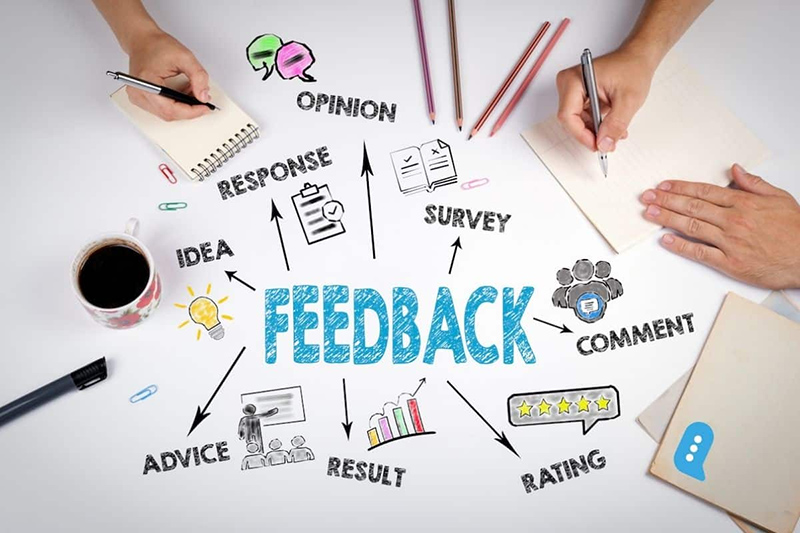
You’ve done it! Your video is ready to go live. Now it’s time to share it with your audience.
Depending on the purpose of your eLearning video, it’s important to tailor your optimization strategies. For videos aimed at broad reach, focus on SEO by using clear titles, descriptions, and relevant keywords to improve search visibility. Moreover, ensure your video is optimized for mobile devices so it can be easily accessed and viewed on any platform, enhancing the learning experience on the go.
If accessibility is a priority, ensure your content is equipped with captions, transcriptions, and is mobile-friendly, allowing all learners to access the material easily. Additionally, select tags and create thumbnails that align with your video’s specific objectives, whether it’s to educate, inform, or engage a particular audience.

Ensure Content Security and Compliance
When publishing eLearning videos, it’s crucial to secure your content to protect intellectual property and sensitive information. Use secure platforms that allow you to control access and restrict downloads.
Additionally, ensure that your videos comply with industry regulations and accessibility standards to provide an inclusive learning experience for all users.
Monitor and Analyze Performance
After your eLearning videos are live, consistently monitor their performance to understand how learners are interacting with the content. Utilize analytics tools to track key metrics like views, completion rates, and feedback.
This data will help you identify areas for improvement and ensure that your videos are effectively meeting learning objectives.

Using videos in eLearning is a powerful way to engage and educate learners. But to get the most out of them, it’s important to use videos effectively. Here are five tips to help you do just that:
Attention spans are short, so keep your videos short too. Aim for videos that are 5-7 minutes long. If you have a lot of content, break it up into smaller chunks. This makes it easier for learners to digest the information and stay focused.
Avoid jargon and complex language. Instead, use simple, straightforward language that’s easy to understand. Remember, the goal is to make learning accessible to everyone, so clarity is key. Speak as if you’re explaining the topic to a friend – keep it conversational and to the point.
A picture is worth a thousand words, and a video with great visuals and audio is worth even more! Use relevant graphics, animations, and infographics to reinforce your points. High-quality audio is just as important-clear narration helps learners follow along and retain information better.
Interactive videos are a great way to keep learners engaged. Incorporate quizzes, clickable links, or prompts that encourage learners to participate actively. These elements not only make the learning process more engaging but also help reinforce the material.
Your learners are your best resource for improving your videos. After your video is live, gather feedback to see what worked and what didn’t. Use this feedback to make adjustments or to plan future videos. Continuous improvement ensures that your eLearning content remains effective and relevant.
Still, feeling worried and hesitant because you don’t know where to find high-quality visuals and audio to make your eLearning videos more engaging? Take a look at the list below that we’ve compiled for you!
| No | Resource | Type | Price | Key Features |
| 1 | Shutterstock | Stock Footage & Music | Subscription starting at $29/month, or per item | Extensive library, high-quality visuals and audio, flexible licensing |
| 2 | Adobe Stock | Stock Footage & Music | Subscription starting at $29.99/month, or per item | Seamless integration with Adobe Creative Cloud, vast collection |
| 3 | Pond5 | Stock Footage & Music | Per item, prices vary | Large variety, user-friendly search, flexible pricing |
| 4 | Getty Images | Stock Footage & Music | Subscription starting at $199/month, or per item | High-end content, editorial footage, extensive library |
| 5 | Storyblocks | Stock Footage & Music | Subscription starting at $30/month | Unlimited downloads, affordable plans, diverse collection |
| 6 | Envato Elements | Stock Footage & Music | Subscription at $16.50/month | Unlimited downloads including templates and graphics, budget-friendly |
| 7 | Artlist | Music | Subscription at $199/year | High-quality music, royalty-free, unlimited downloads |
| 8 | Epidemic Sound | Music | Subscription at $15/month | Diverse genres, royalty-free, simple licensing |
| 9 | Musicbed | Music | Subscription starting at $9/month, or per item | Curated selection, high-quality, flexible licensing |
| 10 | Motion Array | Stock Footage & Music | Subscription at $29.99/month | Unlimited downloads, includes templates and effects, cost-effective |
| 11 | Freepik | Stock Footage & Graphics | Free with premium options: $14.99/month or $99.99/year | Large collection of free and premium stock visuals, includes educational graphics and illustrations |
| 12 | Unsplash | Stock Footage | Free | High-quality, free stock photos, suitable for educational and instructional content |
If you’re still unsure about where to start, consider 2 great options: designing the visuals and audio yourself or partnering with a professional studio. Creating your own content allows for full control and personalization, making it a perfect fit for your specific needs.
However, if you’re aiming for a polished, high-impact video, collaborating with a professional studio can be a game-changer. Studios like F.learning Studio specialize in eLearning content development that not only looks and sounds professional but also effectively engages your audience. F.Learning Studio’s creative team combines professional knowledge and technical skills to produce accurate, high-quality eLearning videos.
Moreover, you can benefit a lot when working with F. Learning Studio, especially when it comes to cost-effectiveness. One of the most compelling reasons to choose us is that our prices are 30% lower than those of US-based companies.
Plus, our streamlined process reduces the back-and-forth feedback process, which helps you minimize costs and maximize efficiency.
Still not sure which is the best option for your current budget?
How to create eLearning videos is a multifaceted process that involves careful planning, engaging visuals, clear narration, and thoughtful editing. From scripting and designing visuals to recording and gathering feedback, each step plays a vital role in delivering a learning experience that resonates with your audience.
To stay competitive, it’s essential to look for expert help in creating top-notch eLearning videos. And working with an agency like F. Learning Studio is more advantageous.
Please don’t hesitate to contact us now so we can offer what works best for your project.

F. Learning Studio's Author
Sean Bui, the founder and creative director of F.Learning Studio, is a respected leader in the e-learning and multimedia production industry. With over 10 years of experience, he has dedicated his career to helping organizations create engaging and impactful learning experiences. Under his leadership, F.Learning Studio has grown into a trusted partner for organizations in the education, healthcare, and corporate training sectors, producing over 2,000 minutes of educational animation.
Whether you’re training a team or explaining a message — we’ll help you do it clearly.
Clarity changes everything
Whether you’re training a team or explaining a message — we’ll help you do it clearly.