

Online Discussion Board: 3 Key Things & 14 Tools to Create One
Getting students to join in class discussions is difficult enough. It can be even more trying to encourage discussion online – outside of the actual…


Getting students to join in class discussions is difficult enough. It can be even more trying to encourage discussion online – outside of the actual…
Getting students to join in class discussions is difficult enough. It can be even more trying to encourage discussion online – outside of the actual classroom. That’s why e-learning usually lacks interaction, engagement, and motivation. However, this can be changed with some modifications and with the help of an online discussion board. In this article, we will guide you in mastering this useful tool in eLearning.
An online discussion board is a platform for members to engage in written conversations about specific topics or threads. In which, they can post comments for others to read and respond to at their convenience. It is widely used in eLearning to engage learners in the lesson and support teachers assess learning.

Online discussion boards offer a lot of benefits. It brings an active way of encouraging learners to engage with the lesson and their peers, which results in better learning outcomes.
Creating engaging online discussion boards can be a fun and collaborative process! You can add some elements like fun videos, memes, and relevant links to make discussions dynamic. Students can find it boring to just comment and respond to others’ answers, so it’s better to prompt and boost them with some rewards.
Since 65% of the population is visual learners, walls of text are a bit outdated. As a result, sticking only to text can be dull and doesn’t cater to all students. With so many teens using YouTube and videos to pick up new skills, it makes total sense to spice things up with multimedia. The easiest way is to add options like videos, images, and audio clips to make discussions way more engaging and interactive for everyone.
If a student joins the discussion board and sees something they can connect to from their personal lives, they’re more likely to jump into the conversation. This can be achieved by incorporating real-world scenarios and relatable examples into discussion topics. Using familiar social media-style features like profiles, badges, and comment threads is also a good way to make the platform feel more like a space they’re used to.
By creating these life-like interactions, you’re enhancing engagement and improving the overall learning experience. When looking to integrate practical service skills training, many organizations turn to service skills eLearning programs, because they offer a flexible, scalable, and cost-effective way to enhance employee skills in customer service, communication, and problem-solving, all while providing real-time feedback and consistent training outcomes.
To explore some of the top providers offering effective service skills eLearning solutions, check out our article on Service Skills eLearning: TOP 8 Providers You Want to Know

WebEx is a free tool for video, multi-featured phones, and web conferencing. It’s suitable for students, faculties, and staff due to its integrated chat function. Much similar to Google Hangouts, Adobe Connect, or Skype, users of WebEx can host and join in audio and video meetings, presentations, and conferences.
Via WebEx, the lecture slides can be shown on student devices. In turn, students can communicate in real-time with each other, their instructor, and the presenter by chatting. Here are WebEx’s capabilities:
Recommended reading:
> What makes a good learning environment for online courses?
Make your online and hybrid course more engaging with simple animation guide, why not?

Though Turnitin is not a free app and comes with limited grades (3-12), its uses are well worth the paid rate. In addition to the common function of an efficient online plagiarism detector, Turnitin has other lesser-known tools, especially a built-in discussion platform. While such a discussion tool may not be Turnitin’s strong point, it does offer options regarding teacher moderation and anonymous posting.
For years, Facebook has been one of the most popular discussion board websites to exchange and study with each other. Still quite a favored tool these years, though it is only for people over 13. If you open a group page dedicated to your class, you’ll get an online discussion board of your own to collaborate freely.
Old users may recognize it with the old name – StatPlanet Map Maker. This free online discussion platform is awesome for customizing interactive maps. Additionally, this software offers the option of bringing in interactive diagrams to make feature-rich infographics.

A creative, authoring tool like Scratch helps users develop content – those that pass the barriers of conventional page-turners. Moreover, users of Scratch can create their own interactive animation, art, stories, music, etc. then share their works on the website.
Maybe you are interested in:
> How to make animation for educational purposes work?
This is a digital storytelling tool for instructors. Teachers can create their own Domo adventures in a few minutes with the user-friendly animation studio. It’s free and rather easy to use. All you need is to import your images and a song/melody to go with the slideshow. The user’s chosen photos will be the protagonist of their own identified Domo adventure.
Read more:
> 7 tips for outstanding visual communication in e-learning
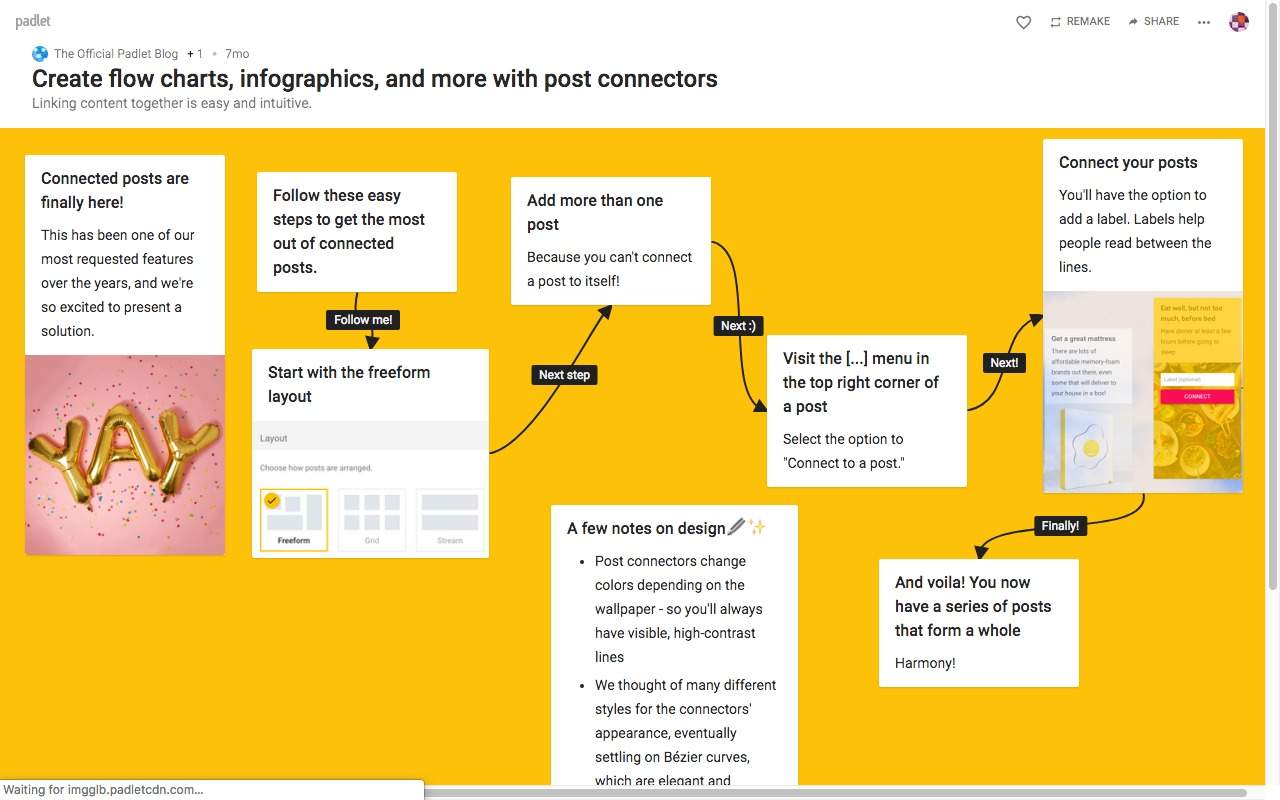
In an actual classroom, there’s a teaching strategy called “Graffiti Wall activity” that allows pupils to brainstorm their ideas, and then write them on chart paper. Padlet is the digital equivalent of the Gravity Wall activity. Padlet is a virtual space where students can post their questions, thoughts, and ideas for discussion.
Just think of Padlet as a large sheet of paper, and the students will fill in this virtual paper with images, connections, words, questions, and quotes as per the teacher’s requirement. Then, learners will develop further discussion in pairs, groups, etc. To enhance the learning experience, an eLearning voice-over service can also be added to provide narration for the content on Padlet, making the interaction even more dynamic and engaging for the students.
NowComment is a free platform for document, discussion, and annotation. It allows learners to mark, and discuss the texts, and it is often used in grades K-12. Users only need to upload data in any form or format to make an area for online discussion and leave the rest to NowComment. Text paragraphs will be numbered and logically arranged, as the document and comment panel will be placed on opposite sides. The instructor can decide students’ rights to upload their essays and comment on a text or their peers’ reviews.
Backchannel Chat is a payment-required tool for grades 7–12. The tool works well as an online discussion board. Its restrained online discussions are supposed to engage learners and urge them to share.
The setup is quite simple. Instructors just need to sign up, label their chat, then share the URL with their students. Every learner only needs one name to take part in the chat group, no need to provide any other personal information. Teachers can control the discussions, remove inappropriate messages, and even “lock” the chat group at any time.
Wiggio provides options like establishing meetings, calendars, to-do lists, polls, messaging, and file sharing. Conveniently, this is mostly a free workgroup tool. That’s because the primary functionality is totally free while a premium service – which best suits organizations seeking priority support and a registered workspace, will be paid-required.
Chalkup is a free learning management system (LMS) for teachers – since school pricing varies, from grades 6-12. This is the first benefit. Another trait that makes this platform unique among the vast market of LMSes is that all of Chalkup’s features are framed specifically around collaboration and discussion.
In addition to discussions, the platform is great for grading and online assignments. Chalkup should be an ideal choice for any teacher who happens to be searching for an LMS for their class.
The Canvas Discussions tool is employed to host, organize, and moderate an online threaded, written discussion with both posts and replies from each student. Class discussions can be limited to small groups or can be “open for anyone” for the whole course.
Canvas Discussions offers an integrated structure for class discussions, enabling both teachers and pupils to begin and contribute to the discussion topics as many times and information as they wish. Also, the tool allows two or a group of people to interactively communicate, so all users can take part in a conversation with the entire class.
Moreover, Canvas Discussions can be established within learner groups. Also, for teacher’s grading purposes, the tool can be built as an assignment as it can seamlessly integrate with the Canvas Gradebook. Otherwise, it can serve as a simple forum for current and topical occasions.
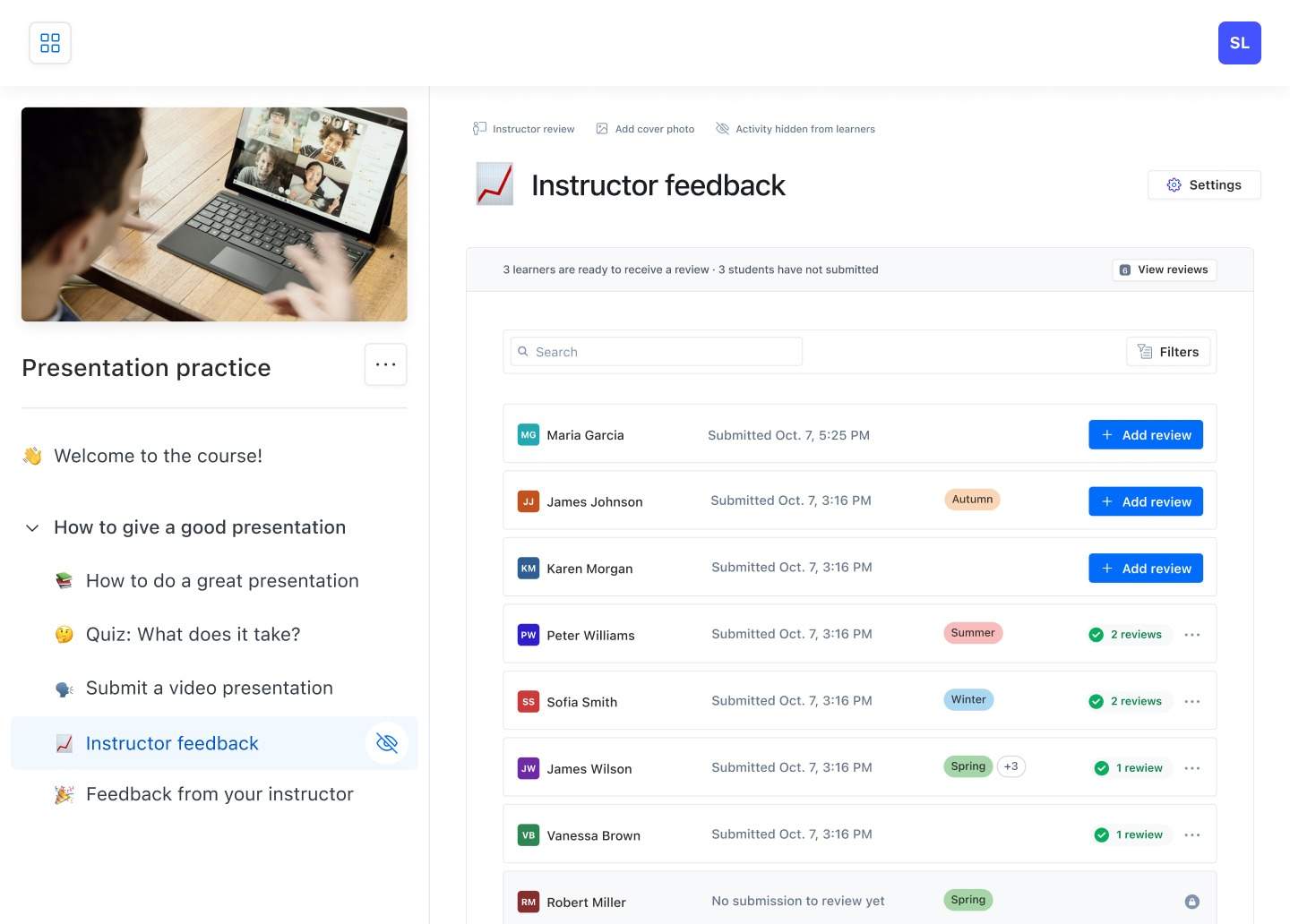
Eduflow is also a free learning experience platform to run online learning flows including discussions and other activities. They really focus on scaffolded online discussions. You can ask participants to answer specific questions, split them into discussion groups, and require that they both post topics and comments before completing the activity. The power of Eduflow is that you can combine the discussion with other learning activities such as videos, peer reviews, and submissions.
Whether you choose to teach online completely or add some sessions of online discussion to a traditional class, online discussion boards are gradually becoming fundamental in college courses.
Thanks to the helpful tools we’ve shown you above, students and teachers can become more interactive and engaging in online discussion boards. They can be a practical complement to face-to-face classes as well as a powerful foundation for online classes. In fact, many students even prefer online discussion to in-person discussion, most likely due to the chance to communicate more freely.
If you’re interested in more interactive materials besides online discussion boards, feel free to catch up with us to get a FREE consultation.
Read Further:

F. Learning Studio's Author
Sean Bui, the founder and creative director of F.Learning Studio, is a respected leader in the e-learning and multimedia production industry. With over 10 years of experience, he has dedicated his career to helping organizations create engaging and impactful learning experiences. Under his leadership, F.Learning Studio has grown into a trusted partner for organizations in the education, healthcare, and corporate training sectors, producing over 2,000 minutes of educational animation.
Whether you’re training a team or explaining a message — we’ll help you do it clearly.
Clarity changes everything
Whether you’re training a team or explaining a message — we’ll help you do it clearly.