

How to Utilize Video to Improve Customer Onboarding and Training 2025
Boost customer onboarding & training in 2025 with video! This guide shows you how to use video to create engaging onboarding experiences for customers!

Boost customer onboarding & training in 2025 with video! This guide shows you how to use video to create engaging onboarding experiences for customers!
Boost customer onboarding & training in 2025 with video! This guide shows you how to use video to create engaging onboarding experiences for customers!
We’ve all seen them: customer training videos that are too long, too vague, or just plain hard to follow. While video holds promise for better onboarding, hitting ‘record’ without a plan often leads to content that doesn’t truly help users succeed. Moving beyond ineffective videos means focusing on clarity, engagement, and scalability. That’s the practical execution we’re digging into for 2025.
In this article, let’s explore why using video is a powerful way to significantly improve customer success and how to leverage videos for tailored, engaging, and effective training.
Customer onboarding and training videos are visual tools designed to guide new users through your product or service, helping them understand key features and get value quickly. Unlike written guides, these videos simplify complex processes and make learning more intuitive. They’re often used to reduce confusion, improve adoption, and set customers up for long-term success.
Here’s a good example of customer onboarding and training videos. Using the motion graphic style, it outlines key information about the product in less than 90 seconds.
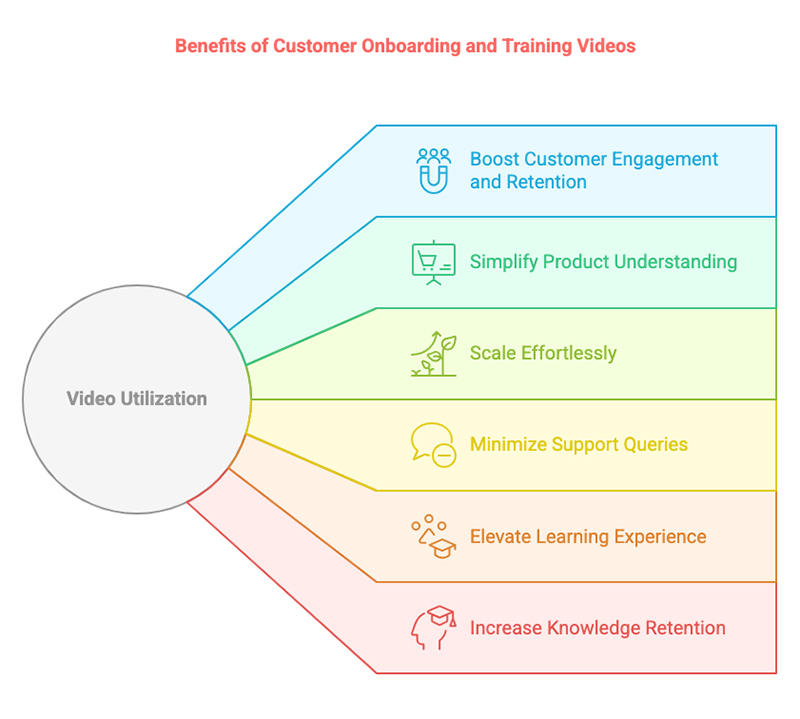
The benefits of customer onboarding and training videos go far beyond convenience—video can directly influence customer satisfaction, retention, and support efficiency in ways traditional methods often can’t. Here’s why it’s such a game-changer in marketing.
Knowing why video is effective is just the beginning. To put it into action, you’ll need the right type of video for the right moment in the customer journey. The next section breaks down the most impactful video formats, with real examples to inspire your own strategy.
Let's talk about your goal and pick the style that works best
Welcome videos are a warm, personal way to greet new customers and set the tone for their journey with your brand. They introduce your company values, product mission, and what users can expect next. This builds trust and creates an emotional connection right from the start.
Result Technology
XL Feet x F. Learning Studio
Tutorial videos walk users step-by-step through key tasks or workflows. They are especially effective for demonstrating how to navigate complex features or complete actions within your product. These videos reduce confusion and help users gain confidence quickly.
How to use Slack: Your quick start guide
What is a Trello board?
F. Learning Studio – Google Drive tutorial for clients’ feedback
These videos focus on showcasing specific features and how they deliver value. They’re ideal for helping users discover capabilities they might overlook and encouraging deeper product usage. Short and focused, they often drive upsells and feature adoption.
Cargoful x F. Learning Studio
Hybr1d
FAQ videos answer common user questions in a visual, easy-to-understand way. Instead of reading long articles, customers get quick, actionable answers. These videos are perfect for deflecting support tickets and improving the self-service experience.
Amazon
Microsoft: Meet Windows 11
Customer success story videos share real-life experiences from existing users who’ve benefited from your product. These narratives build credibility and offer social proof, making them powerful tools for motivating new users and reinforcing trust.
Chewy
GoodRx
Product demos provide a high-level walkthrough of your product in action, highlighting its core value and usability. They’re especially effective during early onboarding or pre-sale stages, helping users visualize how the product fits into their workflow.
Intro to Synthesia
Hotjar
Each video type offers something unique, but choosing the best style for your product and audience is where real impact begins. In the next section, we’ll help you match visual styles to use cases so your videos look great and perform even better.
Let's talk about your goal and pick the style that works best
| Video style | Description | Best for | Price range |
| Animated Videos | Use motion graphics or 2D/3D animation to visually explain abstract or complex ideas. | Tutorial videos, feature highlight videos, FAQ videos. | $1,500+ to $10,000+ per minute |
| Screencast Videos | Record on-screen actions with voiceover to demonstrate software or web interfaces. | Tutorial videos, product demonstration videos | $1,000+ to $4,000+ per minute |
| Interactive Videos | Allow viewers to click, choose paths, or answer questions within the video. | FAQ videos, tutorial videos | $2,000+ to $15,000+ per minute |
| Live-action Videos | Feature real people and environments, often using actors or staff on camera. | Welcome videos, customer success stories | $1500+ to $10,000 per minute |
| Documentary-style Videos | Combine interviews, real footage, and storytelling to highlight impact or experience. | Customer success stories, welcome videos | $1,000+ to $10,000+ per minute |
Want more inspiration? We’ve got you covered:
Even the best style won’t matter if the content falls flat. Let’s dive into what actually makes a training video effective because structure, clarity, and engagement are the difference between passive watching and real action.
Clarity is everything when onboarding new users. Focus on delivering one key message at a time, using simple language and a logical sequence. Avoid jargon unless it’s explained, and keep the video tight—ideally under 2–3 minutes per topic. When users understand quickly, they gain confidence fast.
Visuals should do more than just look good-they should actively support learning. Use motion graphics, on-screen highlights, and animations to illustrate concepts and show exactly what users need to do. A well-designed visual experience captures attention and makes instructions stick.
Crisp, high-quality audio and confident narration can make or break a training video. Choose a voice that matches your brand personality-calm, energetic, or reassuring-and ensure it’s easy to follow.
A successful video follows a well-defined journey: introduction, core content, and actionable next steps. Avoid jumping between topics-each section should lead naturally into the next. A logical structure keeps users engaged and ensures they don’t feel lost along the way.
Tailoring your video to the viewer’s context makes it feel more relevant and impactful. Refer to the user’s role, goals, or product use case, and address their likely questions. Personalization helps customers feel seen-and that increases satisfaction from the very beginning.
Don’t let your message end with a fade-out. Every training video should guide the user toward a clear next step—whether it’s completing a task, exploring a feature, or contacting support. A strong CTA ensures momentum and encourages users to take action with confidence.
Your video should feel like a seamless extension of your brand. Use your color palette, logo, tone of voice, and visual style consistently throughout. This builds recognition, reinforces trust, and makes your onboarding experience feel cohesive and polished.
Now that you know what makes a great video, how do you actually make one? Below, we introduce to you the 2 most popular approaches: the DIY method and partnering with a professional studio.
1. Define your objectives and target audience
Begin by clearly identifying what you want your video to achieve—be it reducing support queries, improving user engagement, or enhancing product understanding. Understand your target audience’s needs, preferences, and pain points to tailor the content effectively.
2. Plan and script your content
Outline the key messages and structure of your video. Develop a concise script that communicates your message clearly and aligns with your objectives. Ensure the tone and language resonate with your target audience.
3. Choose the right video style
Select a video style that best suits your content and audience-options include animated videos, screencasts, live-action, or interactive videos as suggested above. Consider factors like complexity of the topic, available resources, and the desired level of engagement.
4. Select a tool/ software
Choose a video creation tool that aligns with your chosen style and technical proficiency. Below is a table of recommended tools:
| Tool/Software | Best For | Key Features | Price |
| Animaker | Animated videos | AI-powered animation, character builder, extensive asset library | Free plan available; Paid plans start at $10/month |
| Screencastify | Screencast videos | Chrome extension, screen recording, webcam overlay, easy sharing | Free plan available; Paid plans start at $49/year |
| Loom | Screencast videos | Quick video messaging, screen and camera recording, integrations with Slack and Gmail | Free plan available; Paid plans start at $8/month |
| Powtoon | Animated videos | Drag-and-drop interface, customizable templates, character animations | Free plan available; Paid plans start at $19/month |
| Camtasia | Screencast and edited videos | Advanced editing tools, screen recording, interactive quizzes | One-time fee of $299.99 |
| Vyond | Animated videos | Professional animations, customizable characters, lip-syncing | Plans start at $49/month |
| OBS Studio | Live-action and screencast videos | Open-source, high-performance real-time video/audio capturing and mixing | Free |
| VideoScribe | Whiteboard animated Videos | Hand-drawn style animations, easy-to-use interface | Free trial; Paid plans start at $17.50/month |
5. Create visuals and assets
Develop or source the necessary visuals, such as images, icons, and animations, that align with your script and enhance the viewer’s understanding. Ensure consistency in style and branding across all assets.
6. Record the video
Utilize your chosen tool to record the video, following your script closely. Pay attention to audio quality, pacing, and clarity to maintain viewer engagement.
7. Edit the video
Refine your recording by trimming unnecessary parts, adding transitions, annotations, and background music as needed. Ensure the final video flows smoothly and reinforces your key messages.
8. Test and distribute the video
Before full deployment, test the video with a sample audience to gather feedback and make necessary adjustments. Once finalized, distribute the video through appropriate channels such as email campaigns, onboarding portals, or social media platforms.
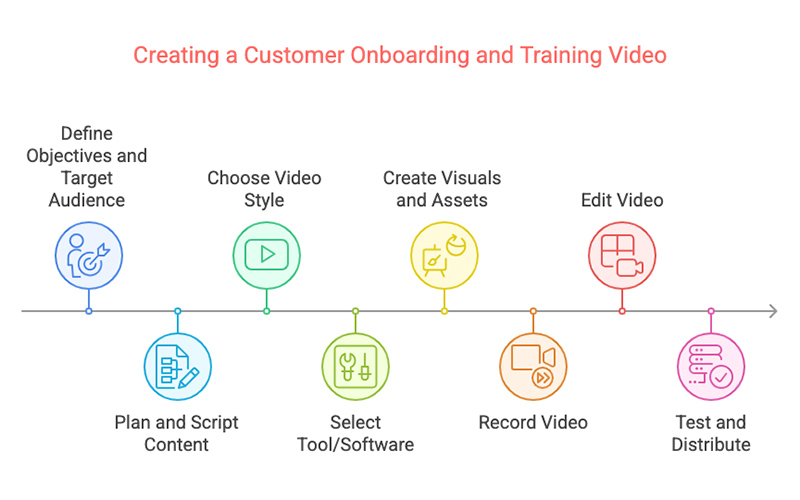
Must read! Here is a more in-depth guide: How to Create eLearning Videos: An 8-Step-by-Step Guide
While the DIY approach offers flexibility and lower upfront costs, it can be time-consuming, resource-heavy, and challenging to scale, especially if you’re aiming for professional quality.
If you’re looking for polished, high-impact videos without the trial and error, partnering with a studio can streamline the process and elevate your results. Let’s explore how working with a professional team can simplify and strengthen your customer onboarding strategy.
| Step | What you should do |
| 1. Define Your Objectives | Clearly outline the goals of the video—what users should learn or do after watching. |
| 2. Identify Your Target Audience | Share customer personas, user journey stages, and any known pain points. |
| 3. Provide Product Context | Offer demos, screenshots, and relevant documentation so the studio understands the product. |
| 4. Collaborate on Scriptwriting | Work with the studio’s scriptwriters to ensure content is accurate, concise, and user-focused. |
| 5. Choose the Right Style | Select a video style (e.g., animated, screencast, live-action) that fits your brand and goals. |
| 6. Review Storyboard/Visual Concept | Give feedback on the visual direction and flow before production begins. |
| 7. Approve Voiceover and Audio | Choose a voice that matches your brand tone and ensure pronunciation is product-correct. |
| 8. Provide Timely Feedback | Review drafts promptly and offer clear, actionable input to keep production on track. |
| 9. Final Review and QA | Test the video for clarity, accuracy, and branding consistency before sign-off. |
| 10. Launch and Track Results | Publish the video across key touchpoints and monitor metrics like engagement and retention. |
Creating great videos is important, but to get results, you need to place them where they’ll have the most impact. The following section shows you exactly where to embed your videos in the customer journey for maximum engagement and value.
Embedding a short welcome video in your onboarding email is a powerful way to make a memorable first impression. It humanizes your brand, introduces key features, and sets expectations early. Use a thumbnail linked to a landing page or hosted video platform for easy access and tracking.
Supplementing live onboarding sessions with pre-recorded videos ensures consistency and clarity. Use videos to cover recurring topics so facilitators can focus on questions and deeper engagement. This hybrid model improves information retention and scales training efficiently across time zones.
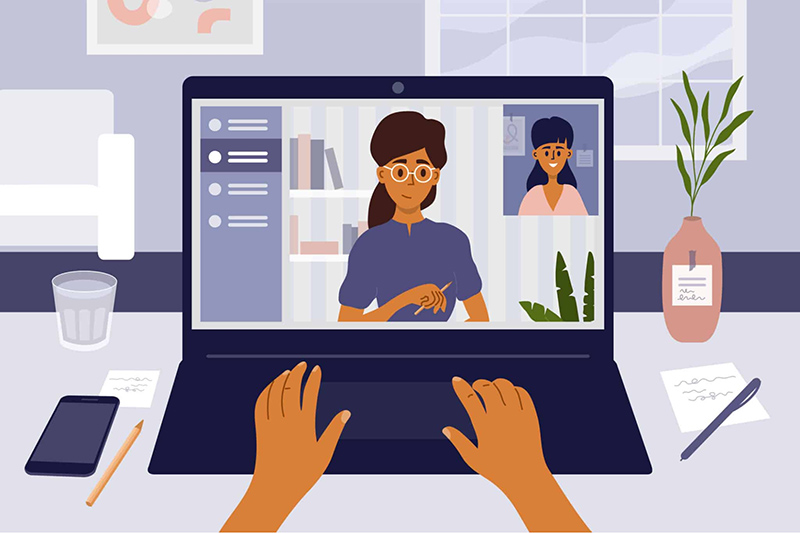
Placing videos directly on setup or installation pages helps users overcome early friction points. Whether it’s configuring software or unboxing a device, a quick visual walkthrough reduces drop-offs and ensures customers complete their first critical steps successfully.
Integrating short, task-focused videos into help articles makes support resources more effective and user-friendly. Instead of reading long instructions, users can watch a 60-second demo and solve their issue faster—improving satisfaction and lowering support volume.
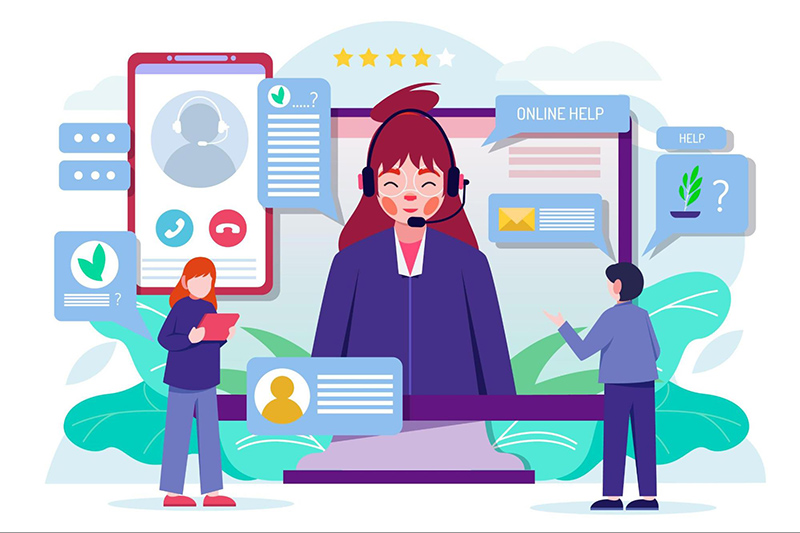
Triggering contextual videos via pop-ups at relevant moments in the app creates a just-in-time learning experience. For example, when a user clicks on a new feature, a short explainer video can tell them how it works. This supports adoption without overwhelming the user.
Featuring training videos in your customer dashboard keeps resources accessible and top of mind. You can categorize them by task or product area, allowing users to explore at their own pace and return to specific tutorials when needed.
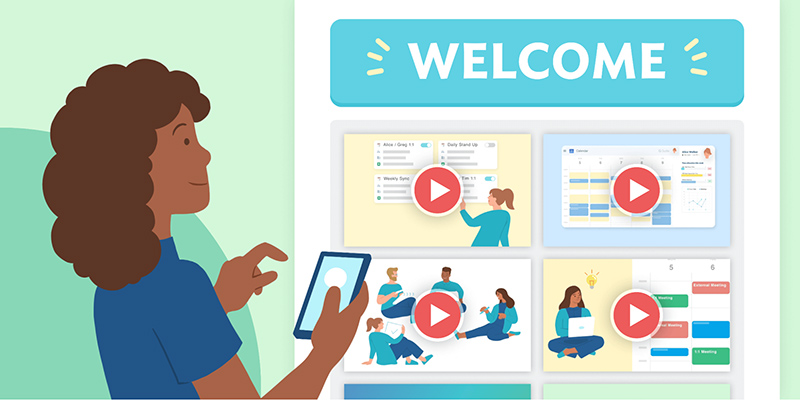
Dedicated onboarding microsites or landing pages act as centralized hubs for video training. Organize videos by user role or product phase, and guide users through a step-by-step onboarding journey that combines video, text, and interactive elements.
Sharing onboarding or feature highlight videos on platforms like LinkedIn, YouTube, or Instagram can reinforce product value while educating a broader audience. These bite-sized clips can spark interest, encourage re-engagement, and support existing users in a lightweight, scroll-friendly format.
F. Learning Studio is a creative partner for companies looking to educate, engage, and empower through animation. Our dedicated team brings together expertise in instructional design and cutting-edge animation to create custom customer onboarding experiences tailored to your unique needs.
Complex products often leave customers feeling overwhelmed, especially during onboarding. We specialize in transforming complex information into engaging visual narratives that resonate with your audience, ensuring they grasp key functionalities and benefits with ease. Our focus is on clarity and conciseness, breaking down intricate processes into easily understandable animations.
Curious how we’ve done it before? Check out our portfolio.
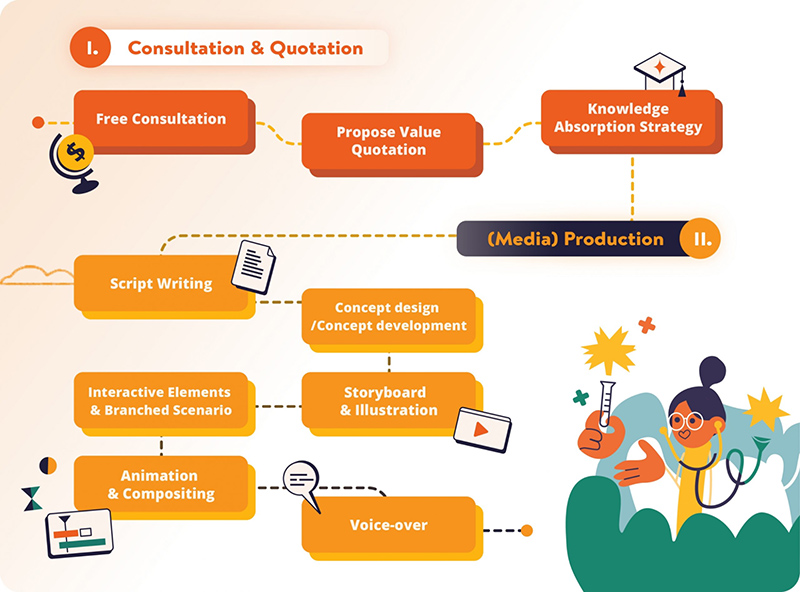
You know your product. We know how people learn. At F. Learning Studio, we combine those two strengths to create custom onboarding and training videos that meet your customers right where they are.
Whether you’re educating first-time users or onboarding enterprise clients, we craft content that’s aligned with your brand, tailored to your audience, and optimized for learning outcomes. The result? Smoother onboarding, happier users, and fewer support headaches.
Good-looking videos are everywhere, but videos that teach effectively? That’s where we come in. At F. Learning Studio, our learning designers break down technical or abstract content into clear, structured lessons using proven instructional strategies. Then, our animators bring those concepts to life with visuals that simplify, clarify, and stick. This collaboration ensures every video isn’t just engaging—it drives real understanding, boosts product adoption, and reduces support needs.
This video is a strong example of how smart video design can transform highly technical content into a clear, engaging learning experience. Through clean animation, structured narration, and thoughtful visual metaphors, we break down complex concepts like server clustering, SSD architecture, and VM-aware technology into digestible insights. Rather than overwhelming the viewer with jargon, the video uses polished visuals, smooth transitions, and intuitive iconography to support comprehension and retention.
The time to modernize your customer education is now. This article has provided a clear roadmap for utilizing video to improve customer onboarding and training, outlining key benefits, video types, and creation strategies. Now let’s take the next step in optimizing your customer journey by leveraging the engaging power of video. If you’re ready to get started? Contact us and let F. Learning Studio help you craft inspiring video journeys for your customers.
Read more:

F. Learning Studio's Author
Sean Bui, the founder and creative director of F.Learning Studio, is a respected leader in the e-learning and multimedia production industry. With over 10 years of experience, he has dedicated his career to helping organizations create engaging and impactful learning experiences. Under his leadership, F.Learning Studio has grown into a trusted partner for organizations in the education, healthcare, and corporate training sectors, producing over 2,000 minutes of educational animation.
Whether you’re training a team or explaining a message — we’ll help you do it clearly.
Clarity changes everything
Whether you’re training a team or explaining a message — we’ll help you do it clearly.